Review text edited in Figma
Updated 2026-10-22 · 1 min read
When someone edits a linked layer in Figma, decide which text wins.
If someone edits the text of a linked layer directly in Figma, the layer no longer matches its key. Mondoword notices and counts these Figma edits.
Where they show up
- A number on the ✦ menu button.
- ✦ › Anomalies: a row named Figma with the count and a Review button.
Review one by one
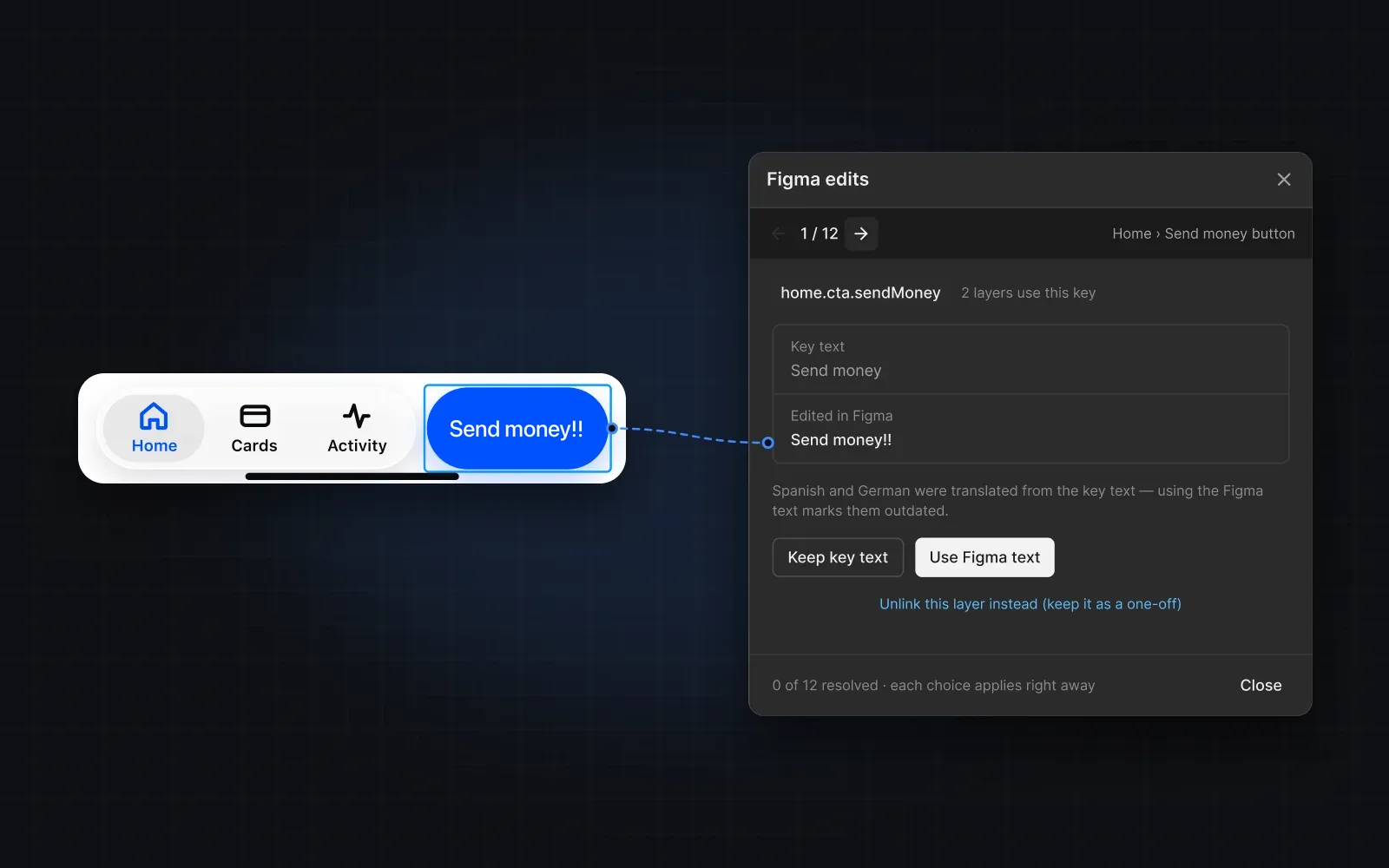
Review opens the edits one at a time. Figma jumps to each layer, and you see the key's text next to the edited text. Choose:
- Keep key text — put the key's text back on the layer.
- Use Figma text — make the edited text the key's new source text. Translations made from the old text are marked outdated.
- Unlink this layer — keep the edited text as a one-off and remove the link.
Each choice applies right away and moves to the next edit. Undo is in the footer.
Was this helpful?