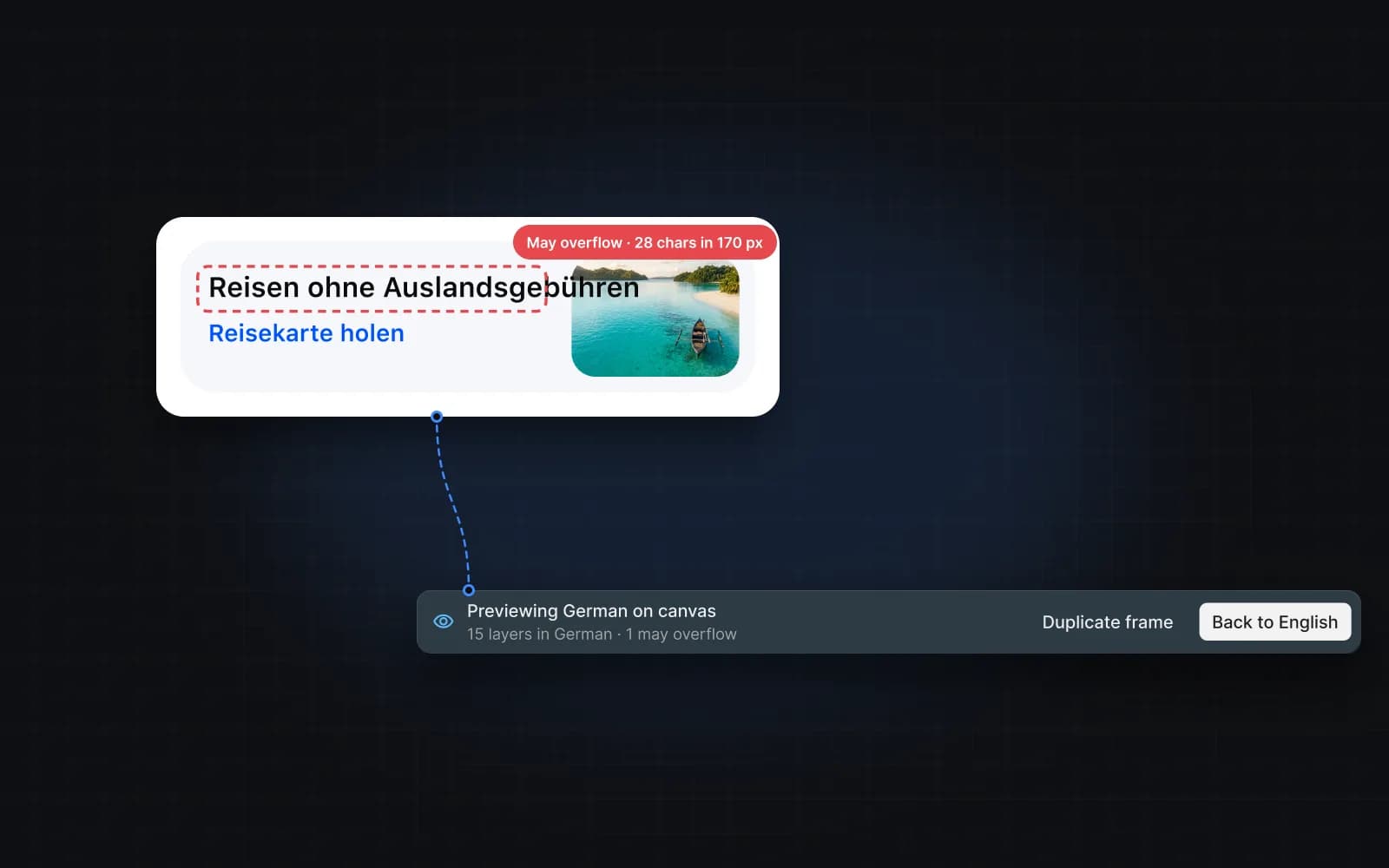
Translation usually happens in a spreadsheet, far from the design. With Mondoword the design stays the source of truth, and every language can be checked where it will be used.
How it works
- Link text to keys. Select a layer and link it, or select a frame and let Auto-link match layers to existing keys. Create keys names new keys from the frame and the text.
- Translate with context. The AI reads the frame, the element and the text around each key, plus your glossary and style guide.
- Preview on the canvas. Choose Preview translation on a frame and pick a language. Text that is too long for its layer is counted, and the arrows step through each one.
- Review. New translations are AI drafts until someone accepts them. Review AI translations walks through them.
When someone edits text in Figma
If a linked layer is edited directly in Figma, Mondoword notices. In Anomalies you review each edit and choose to keep the key's text, use the Figma text, or unlink the layer.
FAQ
Do translators need a Figma seat?
Translators can review and accept translations in the plugin. Linking layers and previewing in place change the file, so they need edit access.
Does previewing change my design?
Previewing in place shows the translated text temporarily; Back to source restores it, and closing the plugin restores it too. You can also preview on a duplicate frame.