MCP connector
Let your AI agents localize too
Connect Claude or your coding agent. It searches keys, adds strings for new screens and translates them, inside the rights you set per project.
Free during the beta. We let new people in every week.
Short film of an AI agent chat. The user asks: “Add Spanish and German to the checkout screen of my Lovable app. Keep “Acme Pay” untranslated.” The agent calls Mondoword: search_keys finds 12 checkout keys, get_style_guide says “Acme Pay” is not translated, and translate_keys previews 12 keys in Spanish and German. It replies that 24 translations are ready as AI drafts, “Pagar ahora” and “Jetzt zahlen”, with the glossary term kept. The user clicks Apply: 24 translations are saved as AI drafts to review in the plugin.
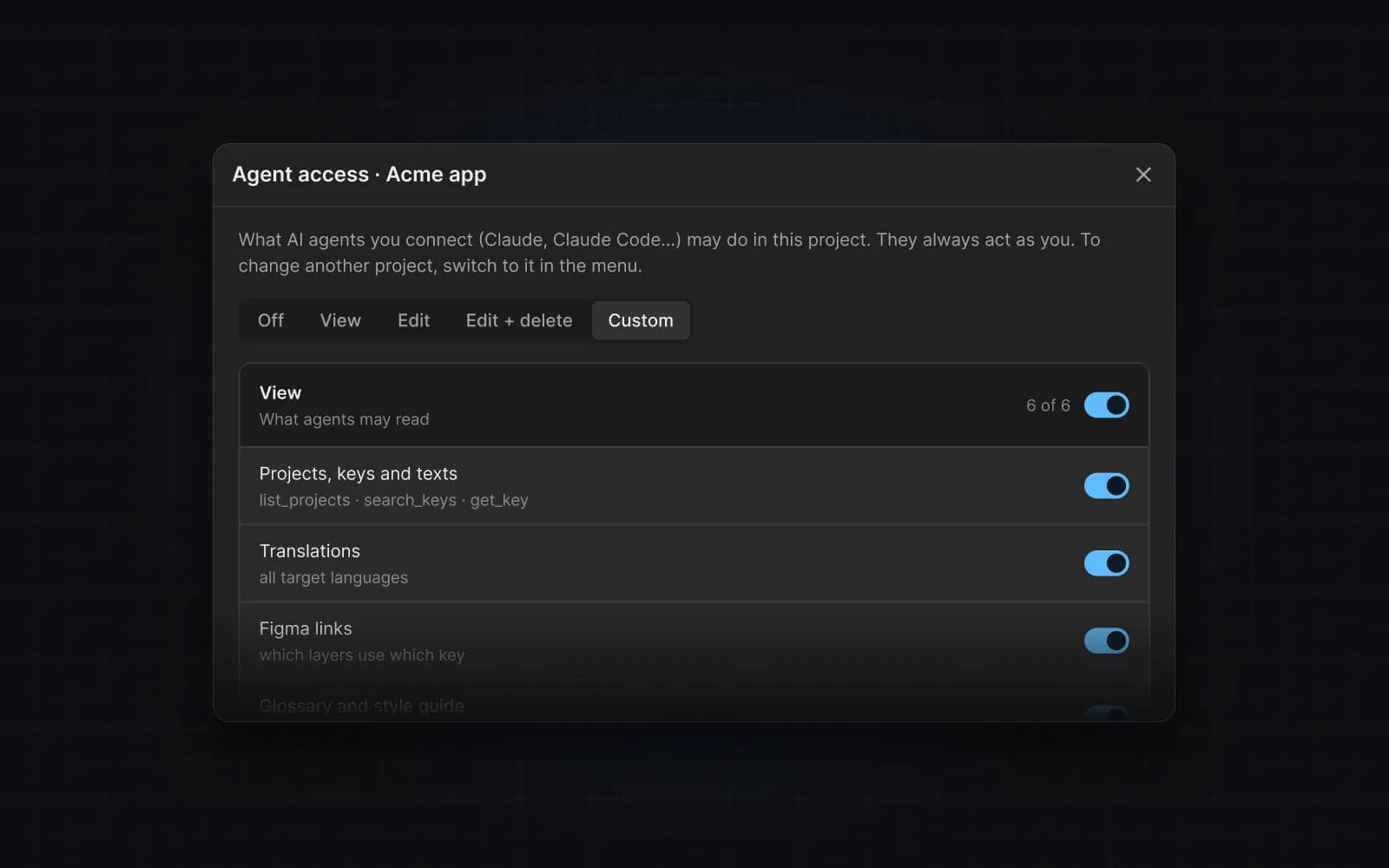
Rights per project
In the plugin, choose per project whether an agent may view, edit or delete, or turn it off. Calls outside those rights are refused with a note on where to turn them on.
Sign in, no API keys
Paste the MCP URL into Claude.ai or run one command in Claude Code, then sign in with your Google account. Tested end to end in Claude.ai and Claude Code.
Nothing changes without a preview — and nothing is deleted without you
Every change your agent makes is shown first as a preview. Deleting keys or unlinking layers needs your explicit OK in the chat.
Agents follow your rules — and flag what needs fixing
Your agent reads your glossary and style guide before it writes, translates many keys at once in the background, and leaves review notes you can fix right in the plugin.
Translate your first screen in five minutes
Free during the beta. Sign up and we let you in from the list — new people every week.