Figma plugin
Translate your designs without leaving Figma
Link every text layer to a key, translate it with AI that sees the screen, and preview each language in the frame before developers do.
Free during the beta. We let new people in every week.
AI reads the frame and the text around each layer
Every text layer becomes a key
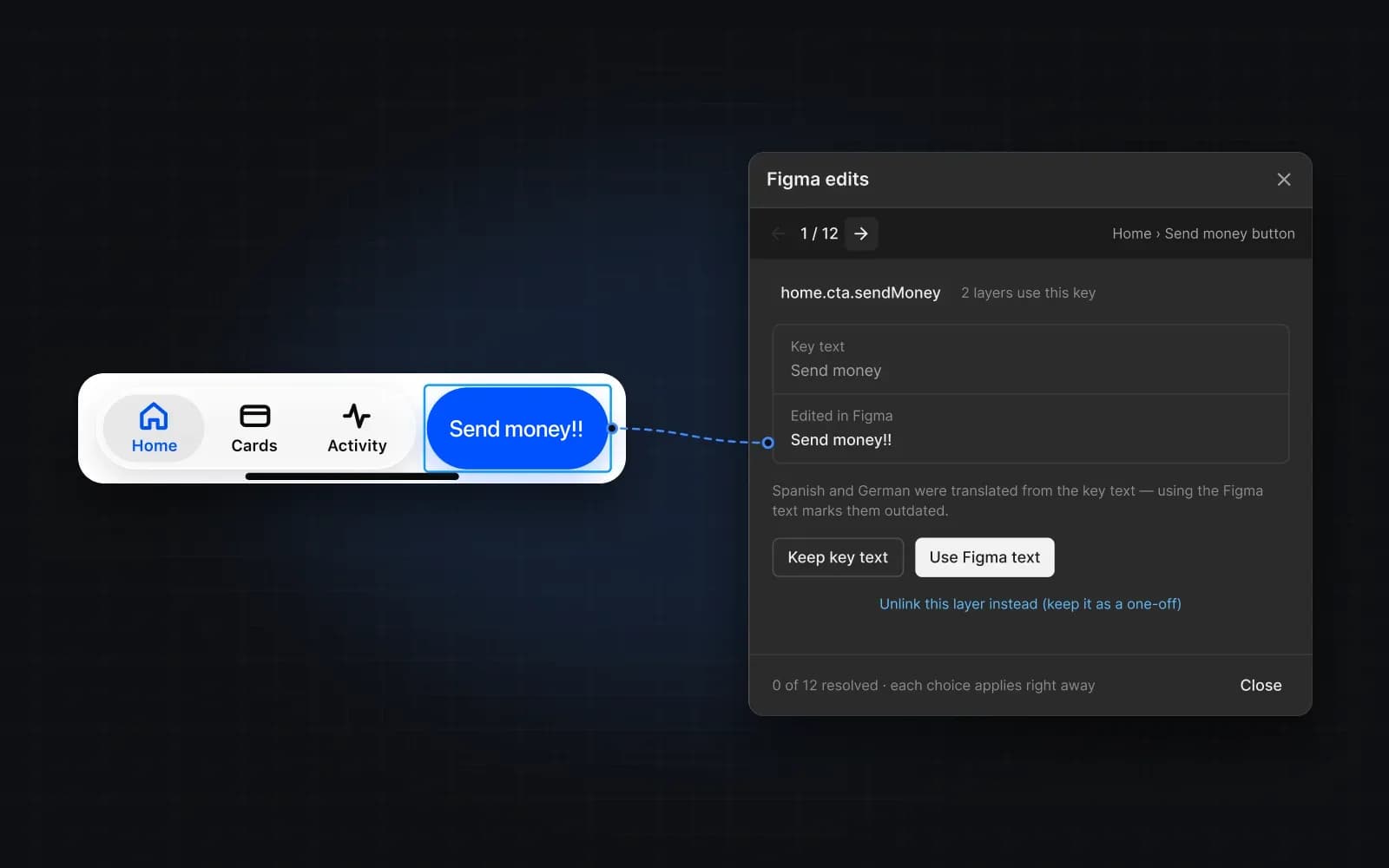
Select a frame and the plugin suggests a key name for each text layer, following your naming convention. When a designer edits linked text, you choose to keep the key text or take the new one.
Preview any language on the canvas
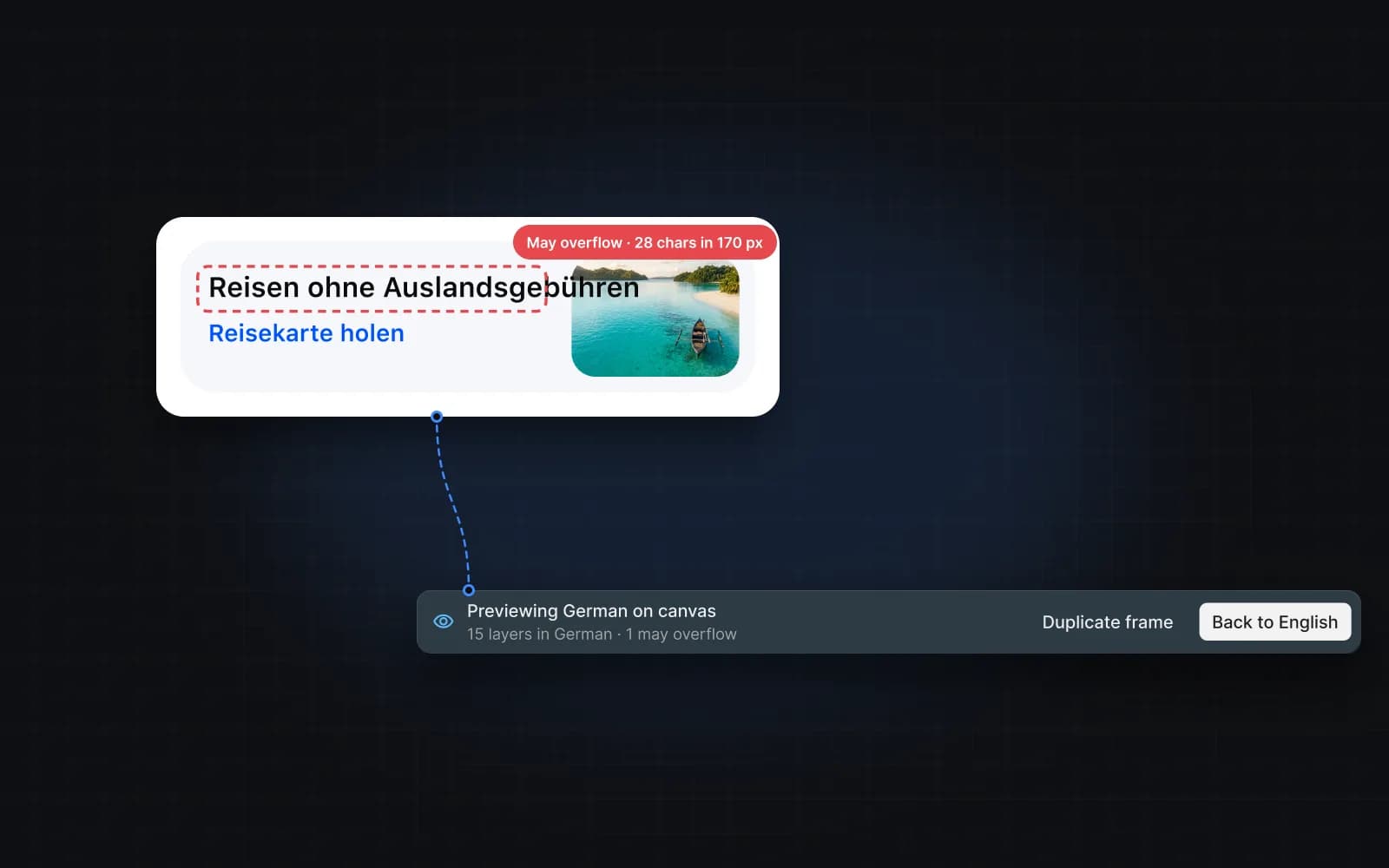
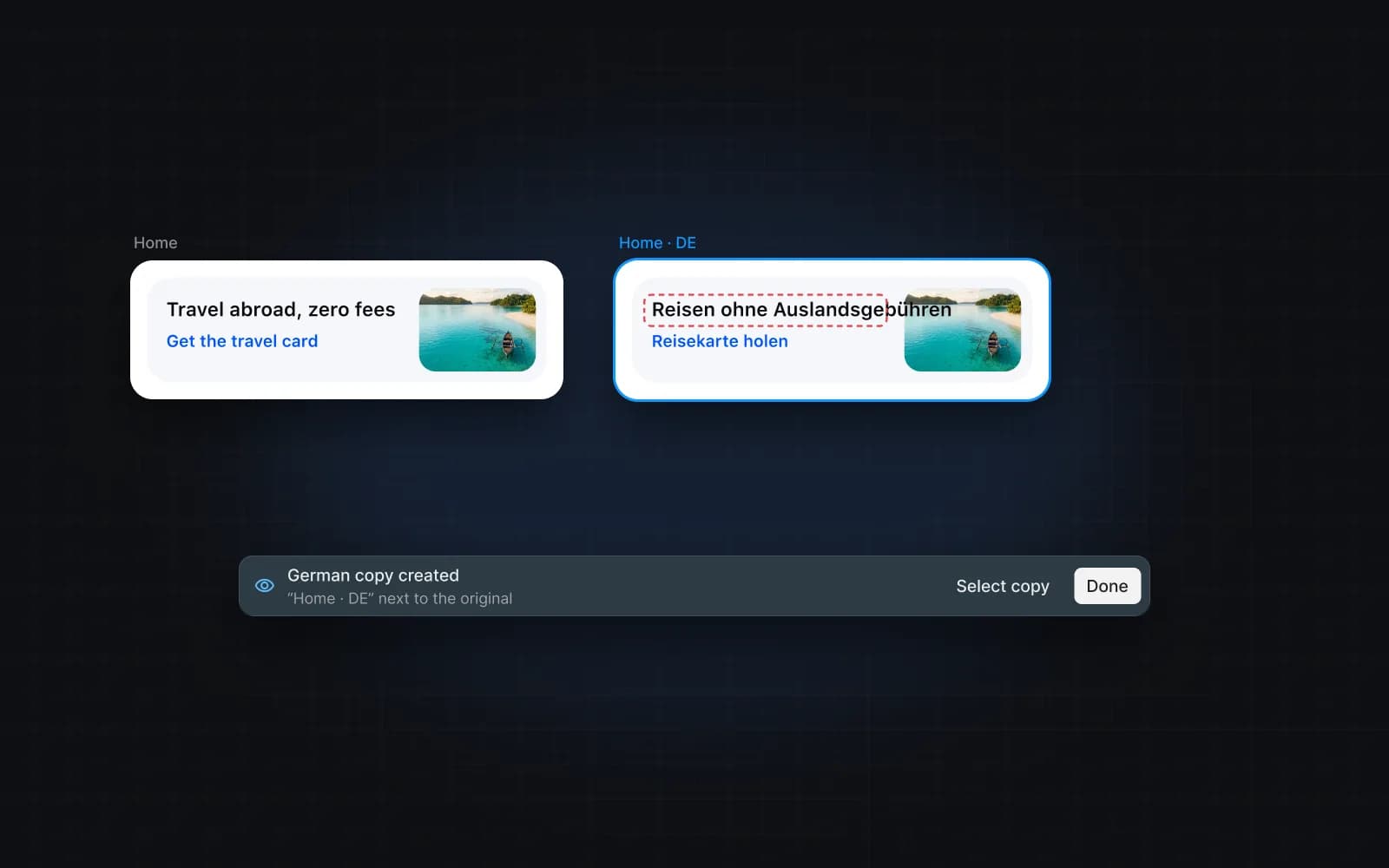
Switch a frame to German or Japanese in place, or on a copy, and see which texts overflow before developers do. Back to the source in one click.
Catch problems before they ship
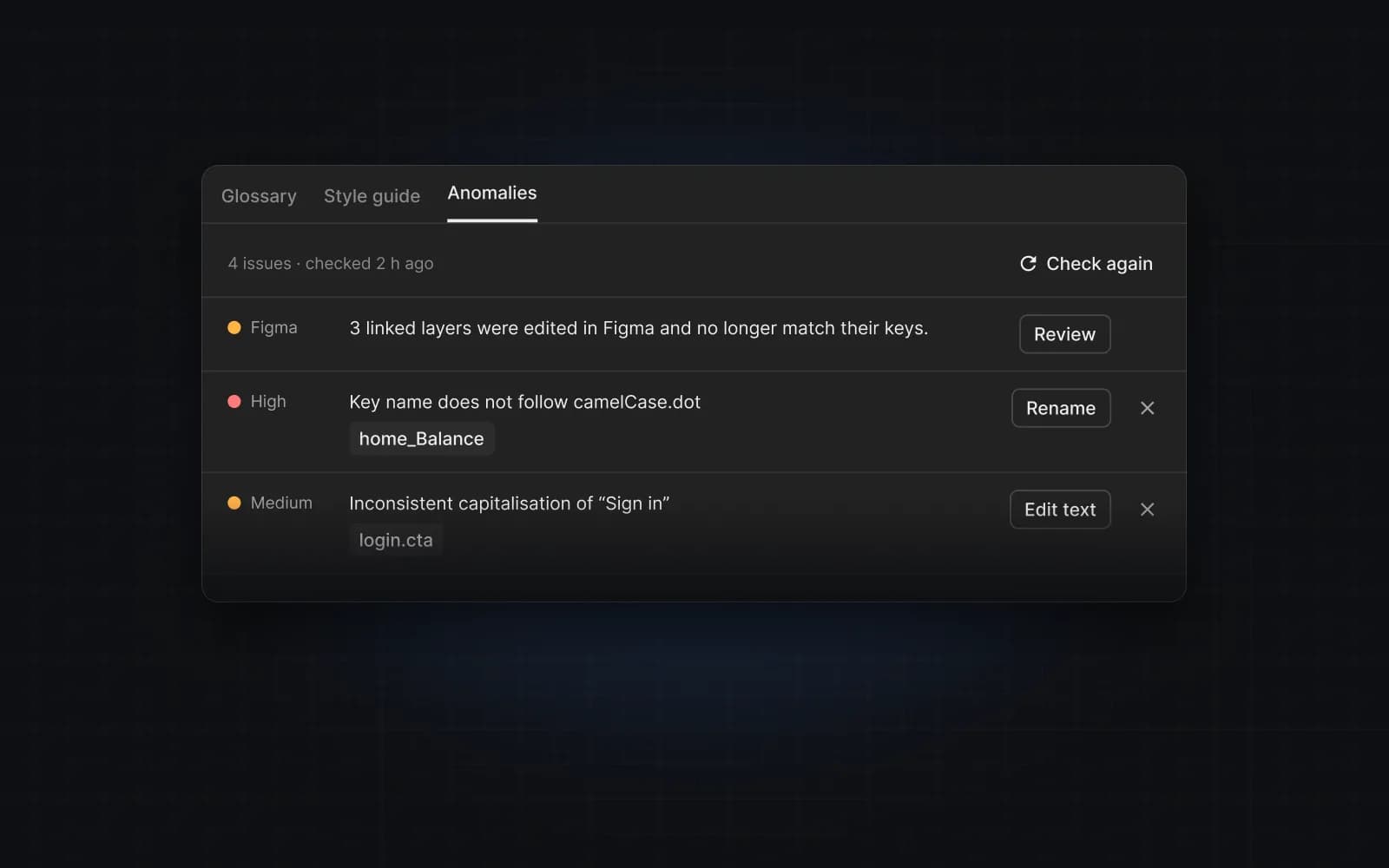
Anomaly detection flags inconsistent terms, unclear wording and text edited in Figma, in key names, source text and translations, with a fix for each.
Hand off to developers or Crowdin
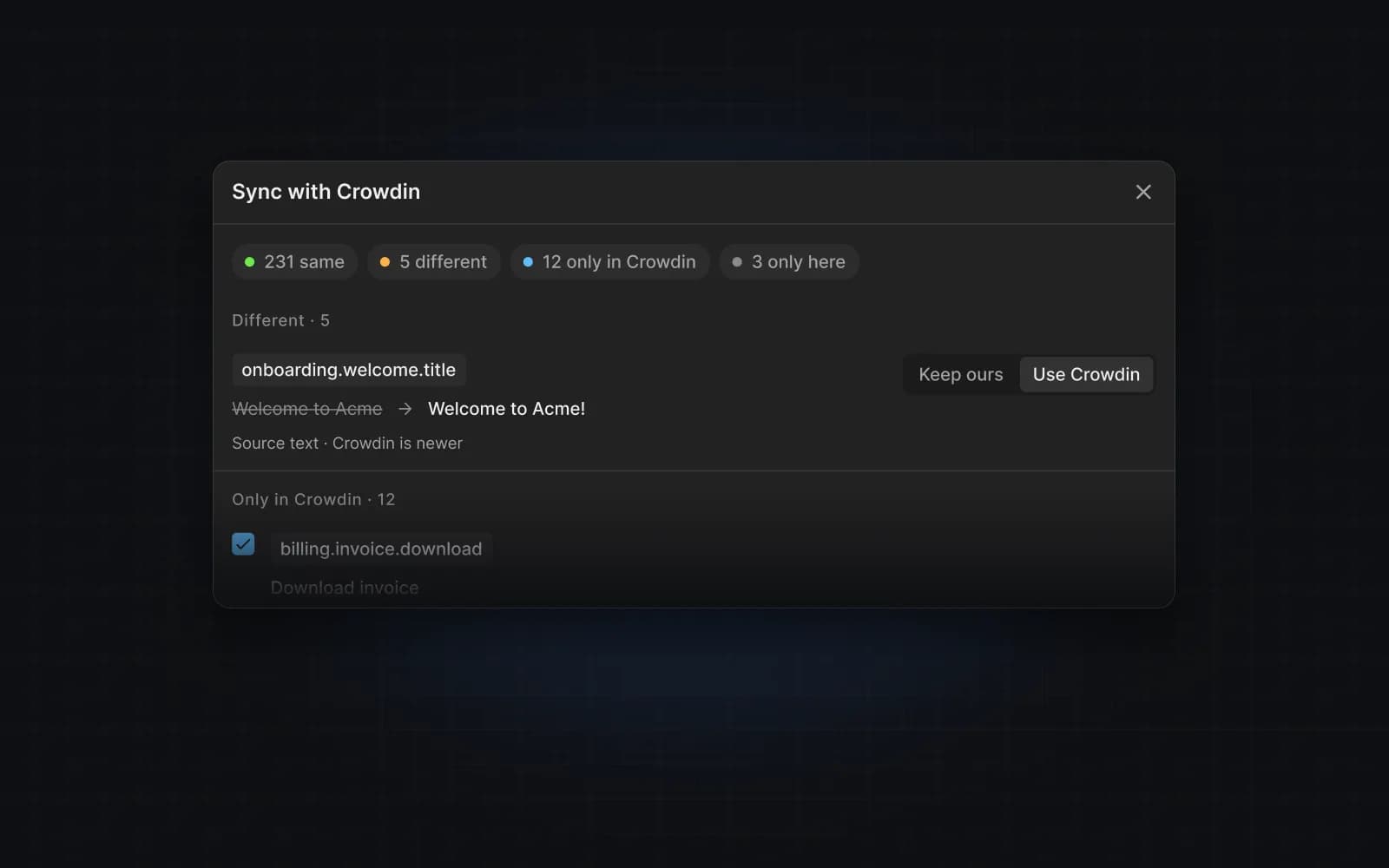
Export JSON, CSV or Flutter ARB files for your app, or sync keys and translations with a Crowdin project in both directions.
Translate your first screen in five minutes
Free during the beta. Sign up and we let you in from the list — new people every week.