Agent permissions
Updated 2026-10-22 · 1 min read
Choose exactly what an AI agent may view, edit or delete.
In the plugin, open the menu › Agent access. Settings apply to the open project only — switch projects in the menu to change another.
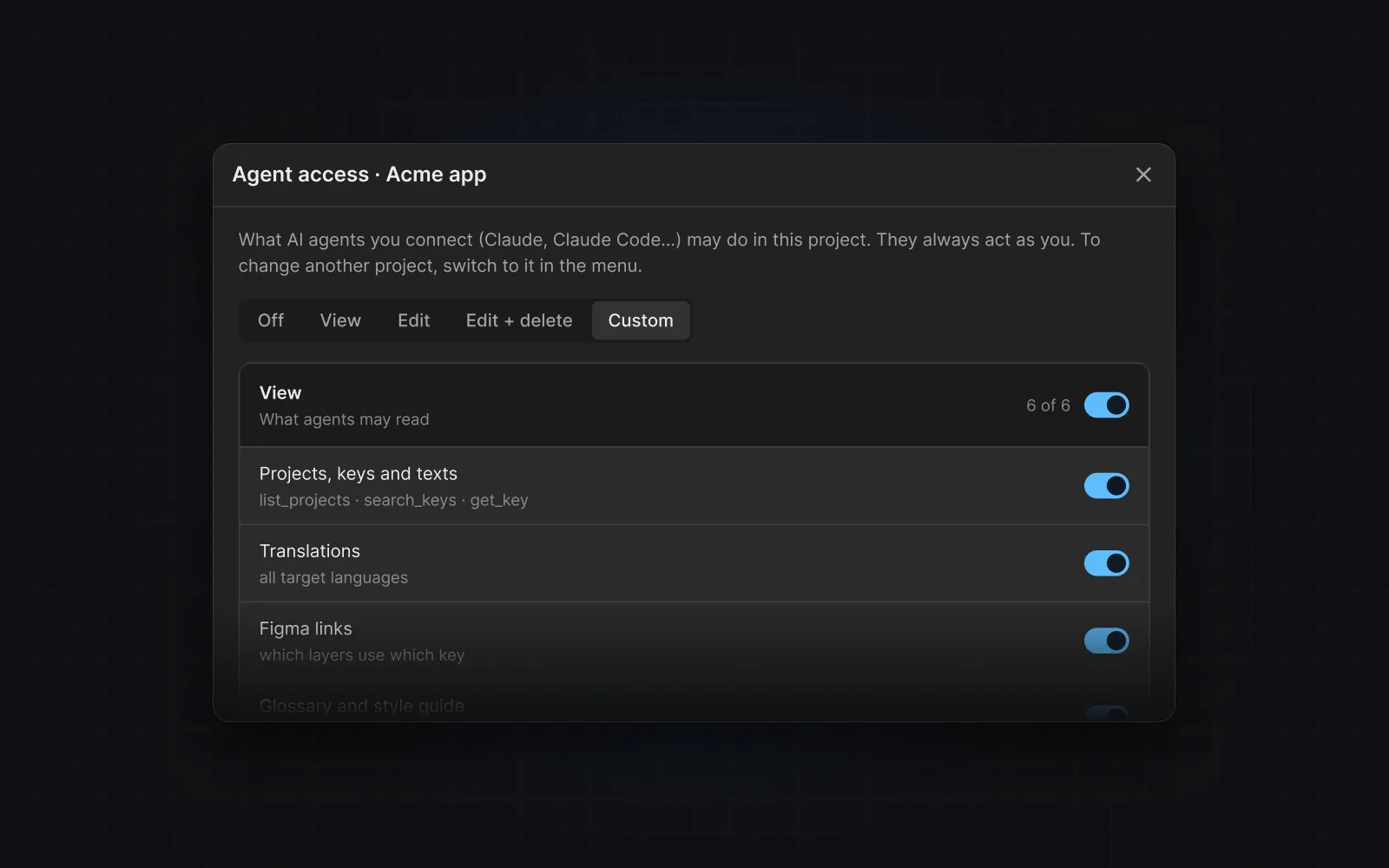
Presets
- Off — the agent cannot use this project.
- View — read keys, translations, links, glossary, style guide and anomalies.
- Edit — also create and edit keys, link and unlink layers, and translate.
- Edit & delete — also delete keys and translations.
- Custom — any combination of the switches below the presets.
Safety rules the agent always follows
- Every write is a dry run first: the agent shows the exact change and applies it only when asked again.
- Deletes and unlinking need a confirmation code the service returns — the agent has to ask you before it can complete them.
- If the agent asks for something you did not allow, the call is refused with a note on where to turn it on. The agent should ask you rather than retry.
Was this helpful?